Sign Up
Create your FluuexQR account in minutes.
From QR ordering to kitchen operations, billing and insights — FluuexQR brings your hospitality workflows together in one connected platform.
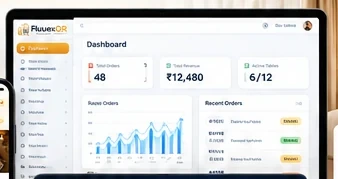
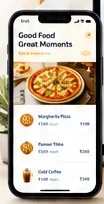
Get your restaurant or hotel up and running with FluuexQR in a few simple steps.
Create your FluuexQR account in minutes.
Add your business details, settings and preferences.
Upload your menu and configure tables or rooms.
Create and place QR codes on tables or in rooms.
Guests scan the QR code, browse the menu and place orders.
Orders move through kitchen operations, billing and reports.
From scan to service, every step stays connected for your guests and your team.
Guests scan the QR code on their table or in the room using their phone.
Your digital menu opens instantly with items, categories and pricing.
Guests add items to cart, add notes and place the order.
The order appears in the existing KDS workflow for preparation.
The order remains connected to billing, payment status and reports.
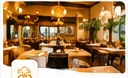
Faster service. Clearer kitchen flow. Connected billing.
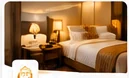
Room ordering and stay operations in one connected experience.
Essential features to run and grow your hospitality business.
Dine-in ordering
In-room ordering
Real-time kitchen display
Connected billing workflow
Direct ordering channel
Stock visibility and control
Business insights
Here are some quick answers. Still need help? Contact us anytime.
The basic setup can be completed quickly once your business details, menu, tables or rooms are ready.
FluuexQR is designed around QR-based ordering and browser-based workflows. Any printer or device requirements depend on the features you choose to use.
Yes. FluuexQR supports restaurant table ordering and hotel room ordering, with connected operational tools for both.
Yes. You can contact the FluuexQR team for onboarding, setup guidance and product support.
Bring restaurant and hotel ordering, kitchen execution and billing into one connected flow.